Self-hosting our GitHub Action runners
The impetus
Buttondown's CI runs on Blacksmith, which is a great service that I am still happy to pay for (see also this note).
But our January bill was $300, which is a lot of money for a team of our size. We merge around twenty pull requests a day, and none of them are, like, rebuilding a monorepo from scratch — most of our CI spend was going to linting and test suites that could run on a potato.
The four biggest line items broke down like this, with a long tail of a dozen or so other jobs:
| Job | Monthly cost |
|---|---|
| Backend tests (branch) | $100 |
| Backend tests (main) | $30 |
| Backend lint (branch) | $40 |
| Frontend tests (branch) | $30 |
Our backend suite is genuinely heavy and parallelizable — it needs a real Postgres database and can run very quickly if given enough cores (we use Blacksmith's 8-CPU runner for this, consciously trading time for speed.)
But beyond that, everything is in the bucket of "not the long pole" and therefore relatively flexible. My mission was therefore to cut our CI bill roughly in half by throwing everything trivial on a self-hosted runner.
The hardware
I have literally had a 96GB RAM Beelink collecting dust in my office for six months, without which the economics becomes murky. I was lucky enough to buy this before prices started spiking.
The migration
My friend Myles mentioned in passing that self-hosting a GitHub Actions runner is actually easy to do, and I was skeptical in the way you're skeptical of anyone who describes infrastructure work as "easy." But they were right. The GitHub docs walk you through the whole thing: download a tarball, run a configure script, start the service. Fifteen minutes, tops, before a runner showed up as "idle" in the Actions UI.
Moving a job over is a one-line change:
 jobs:
   backend-lint:
     name: Backend lint
-    runs-on: blacksmith-2vcpu-ubuntu-2404
+    runs-on: self-hosted
One runner was enough to prove the concept, but jobs started queueing up behind each other since a single PR triggers around 16 actions. GitHub's runner application supports multiple instances on the same machine — each with its own work directory — so I set up five: pythia, pythia-2, through pythia-5. Each one is a separate systemd service. The Beelink has enough cores to handle them all without breaking a sweat.
The pain
There were lots of annoying things around permissions. One representative known issue: Docker containers create files owned by root, and then actions/checkout can't clean the workspace on the next run because the runner user doesn't have permission to delete them. Classic.
The fix is a pre-job hook — a script that runs automatically before every job:
sudo /home/jmduke/runner-hooks/fix-permissions.sh "$GITHUB_WORKSPACE"
The wrapper script only allows chown on the runner's _work/ directories (so it's not a blanket sudo), and a sudoers entry grants passwordless access to that one script.
The observability
The thing about self-hosted runners is that you lose what little visibility you get from a managed service.
So I built a little monitoring dashboard — a Flask app running on Pythia itself. It polls the GitHub Actions API every thirty seconds, stashes run data in SQLite, and serves up a web UI showing workflow history, queue depth, and which runner is handling which job. Each runner's systemd journal is streamed live via server-sent events, so I can watch jobs execute in real time without SSH'ing in.
The most actionable piece turned out to be queue time tracking. The dashboard computes how long each run waited between being created and actually starting, broken down by job type and runner environment; I arrived at five runners in parallel through the very scientific process of "get tired of waiting and seeing too many queued jobs."
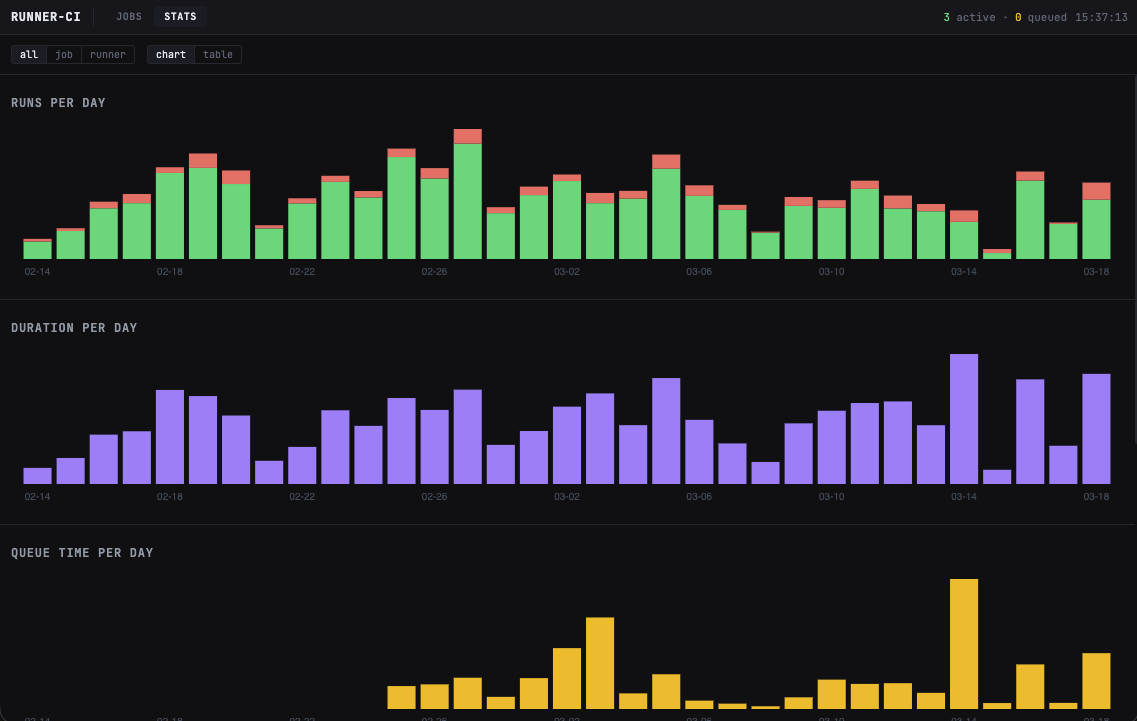
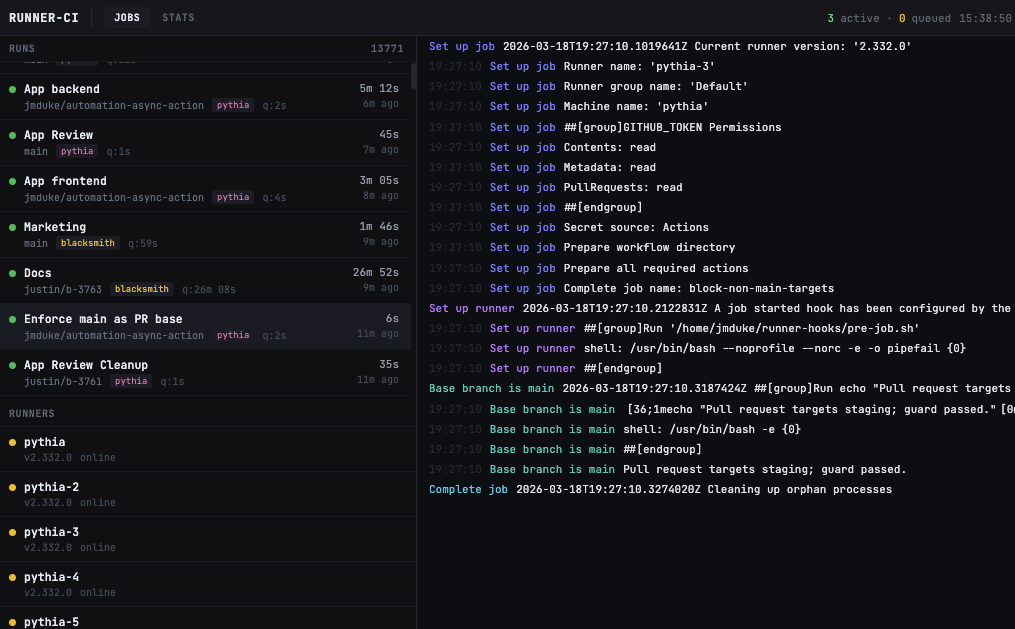
So, flash forward a month or so to today. The whole thing looks something like this:
flowchart LR
    PR[Pull Request] --> GHA[GitHub Actions]
    GHA -->|Backend tests, deploys| BK[Blacksmith]
    GHA -->|Lint, frontend tests| P[Pythia]
    P --> R1[pythia-1]
    P --> R2[pythia-2]
    P --> R3[pythia-3]
    P --> R4[pythia-4]
    P --> R5[pythia-5]
    P -->|polls API| D[Dashboard]
    D --> SQLite
    D -->|SSE| Web[Web UI]
I originally titled this post "How to save $100 with $1000 of hardware", but it turns out this... just works very well! My relatively meagre ambitions have now morphed into "maybe we're just going to self-host the entire CI suite." It was fixed cost labor, sure, but not nearly as much as I expected.